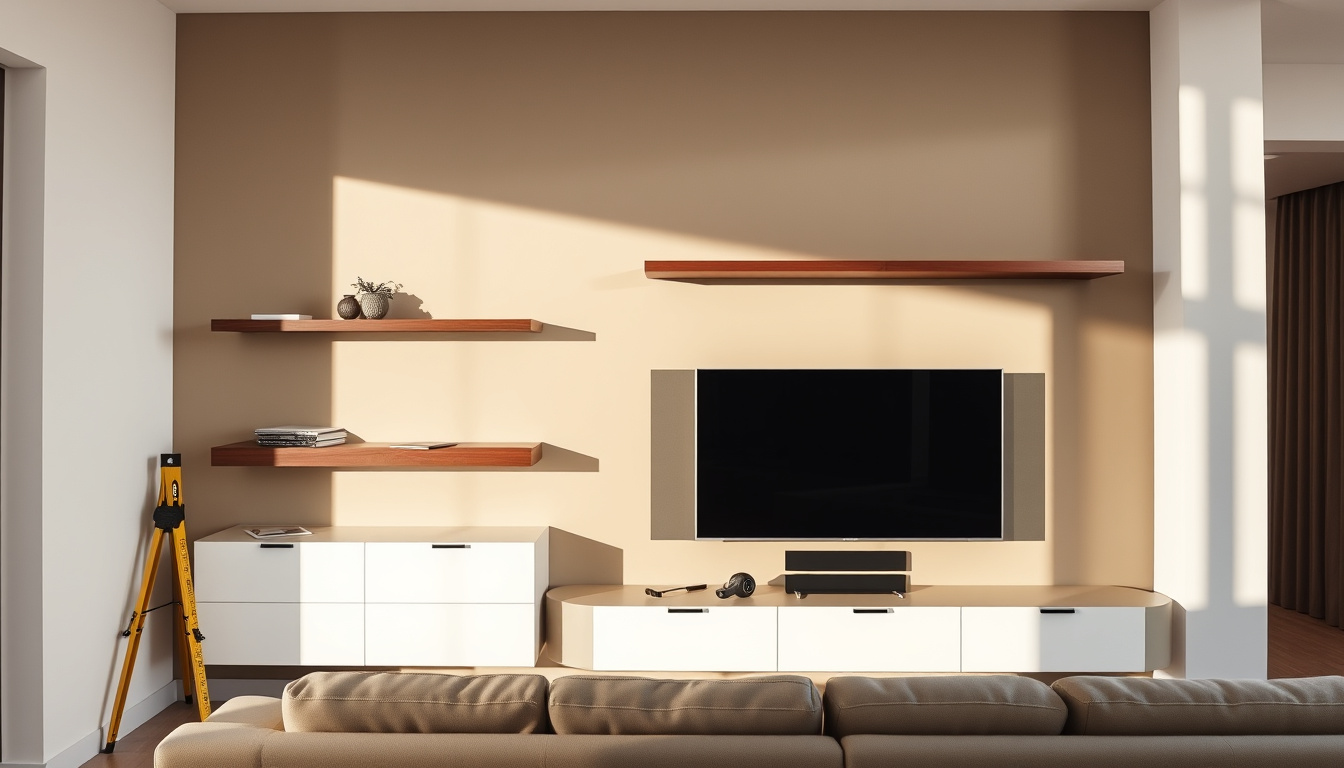
You’ve picked out the perfect TV. Now comes the surprisingly tricky part: figuring out if you should mount it on the wall or stick with a stand — and how to do it safely. A 65-inch television weighs between 45 and 55 pounds, and the wall unit you choose needs to handle that load with room to spare.
Average weight capacity of wall mounts: 100-130 lbs ·
Recommended viewing distance for 65-inch TV: 8.5-12.5 feet ·
VESA common size for 55-65 inch TVs: 400×400 mm ·
Plasterboard safe load with anchors: Up to 50 lbs ·
Cost range: buy vs custom build: $200-$800 vs $500-$1500
Quick snapshot
- Wall mounts have weight limits printed on product specs (Homebaa TV Stand Size Guide)
- VESA patterns are standardized for mounting hole spacing (Homebaa TV Stand Size Guide)
- SMPTE recommends viewing distance of 1.5-2.5 times screen diagonal (RTINGS TV Size To Distance Calculator)
- Exact safe weight for plasterboard without studs depends on wall condition and anchor type
- Long-term effect of fireplace heat on wall-mounted TVs varies by model and insulation
- Check your wall type and stud location before buying any mount (Homebaa TV Stand Size Guide)
- Decide between a wall mount and a TV stand — or a custom built unit. Match the choice to your room size, wall strength, and budget.
| Attribute | Value |
|---|---|
| Typical TV weight (55-inch) | 25-35 lbs |
| Typical TV weight (65-inch) | 40-55 lbs (Homebaa TV Stand Size Guide) |
| Standard VESA patterns | 200×200 (small), 400×400 (large) |
| Recommended viewing distance (55-inch) | 6-9 feet (RTINGS TV Size To Distance Calculator) |
| Recommended viewing distance (65-inch) | 8-13 feet (RTINGS TV Size To Distance Calculator) |
| Average cost of professional installation | $150-$300 |
Is wall mounting a TV a good idea?
Wall mounting frees up floor space and gives that sleek, magazine-cover look. But it comes with trade-offs that depend on your wall type, TV weight, and how much gear you need to store. A stand, by contrast, offers built-in shelving and zero installation fuss.
Pros and cons of wall mounting
- Saves floor space — especially in small rooms.
- Cleaner aesthetic — cables can be hidden inside the wall or unit.
- Better viewing angle adjustability — tilting or full-motion mounts let you fine-tune the screen.
- Downside: you need sturdy wall reinforcement, and accessing ports behind the TV can be a pain.
A wall mount gives you a floating, uncluttered look, but it buries your HDMI ports behind the screen. Plan ahead: run all cables before you mount the TV, or you’ll spend an afternoon wrestling with a 50-pound display.
Wall mount vs TV stand: which is better?
Three key differences, one pattern: the choice comes down to storage versus space.
| Feature | Wall mount | TV stand |
|---|---|---|
| Space usage | Zero floor footprint | Requires floor area |
| Storage | Minimal – just the TV | Shelves, drawers, cable management |
| Installation | Requires studs and anchors | Assemble and place |
| Cost (unit + install) | $200–$800 + $150–$300 install | $100–$600, no install fee |
The pattern: if you own consoles, a soundbar, and a media player, a stand keeps everything in reach. If you want a minimalist look and have strong walls, a mount wins.
Cost comparison: build vs buy a wall mounted TV unit
Buying a pre-made wall unit from a retailer like IKEA or Wayfair runs between $200 and $800. A custom-built solution with cabinetry, floating shelves, and cable hideaways can cost $500 to $1,500, according to general market comparisons.
How much weight can a wall mount TV unit hold?
The short answer: it depends on the mount rating and your wall. Standard wall mounts are rated for 50 to 130 pounds, but that number means nothing if the bracket is screwed into drywall alone.
Understanding wall mount weight ratings
Mounts specify a maximum load — for example, a fixed mount for 55-inch TVs typically holds up to 50 lbs, while a heavy-duty tilting mount for 70+ inch TVs can carry 130 lbs. Always check the manufacturer’s spec before buying. Homebaa (a TV stand size guide) recommends that the stand or mount’s weight capacity exceed the TV’s weight by at least 20–30%.
TV weight vs mount capacity
- 55-inch TV: 25–35 lbs. A mount with a 50 lb rating works fine.
- 65-inch TV: 40–55 lbs. A mount rated for 80+ lbs is safe.
- 75-inch TV: 60–80+ lbs. Look for a heavy-duty mount rated 130 lbs.
What happens if TV is too heavy?
If the mount is overloaded, the bracket may slowly flex, the screws can pull from the wall, and the TV could fall. For plasterboard walls without studs, the safe load drops significantly — up to 50 lbs with appropriate toggle anchors — but anything heavier requires a stud anchor point.
A 65-inch TV that weighs 50 lbs on a mount rated for 60 lbs is within spec — but if the wall is drywall with no stud, the real-world limit is the anchor’s capacity, not the mount’s. Check both.
Where not to mount a TV?
Some spots are tempting but risky. Avoid these three locations.
Above a fireplace
Heat from the fireplace can shorten the TV’s lifespan — especially if it’s a wood-burning model. Even gas fires can push temperatures above a TV’s rated ambient limit. Viewing position is also too high, forcing your neck into an awkward tilt.
Walls with weak structure
Plasterboard alone cannot safely hold a 65-inch TV. You need to anchor into wooden studs or concrete. RTINGS (a TV size and distance research site) states that for mixed usage, a 30-degree field of view is optimal — mounting too high or too off-center ruins that angle.
Corners with poor viewing angles
Corner mounts can place the screen at a diagonal, but anyone sitting off-axis will see a distorted picture. Unless you use a full-motion mount that swivels, a corner location is usually a compromise.
How far should you sit from a 55 or 65 inch TV?
Distance matters more than screen size. Sit too close and you see pixels; too far and you miss detail. The industry standard is a field of view of about 30 degrees for mixed content, as recommended by RTINGS (TV distance research).
Optimal viewing distance for 55-inch
For a 55-inch 4K TV, sit between 6 and 9 feet away. That matches the SMPTE-approved range of 1.5–2.5 times the screen diagonal (RTINGS size to distance relationship).
Optimal viewing distance for 65-inch
For a 65-inch panel, the sweet spot is 8 to 13 feet. Specifically, RTINGS lists 65-inch at about 8 feet 10 inches for mixed usage and 6 feet 6 inches for cinema viewing.
Factors like resolution and room size
- 4K content: allows seating closer — the higher pixel density reduces visible pixels.
- Room size: a 12-foot-deep room can handle a 65-inch TV; an 8-foot-deep room is better with a 55-inch.
- Viewing angle: for a 30-degree field of view, divide your viewing distance in inches by 1.6 for mixed usage (RTINGS calculator methodology).
Which type of TV unit is best?
The best unit matches your wall, your TV size, and your storage needs. Three main options stand out.
Wall mounted TV unit vs freestanding TV stand
Two different philosophies. A wall mounted unit saves space and looks minimal; a stand offers shelves, drawers, and easy access. If you have kids or pets, a stand might be safer because it’s harder to tip (especially if anchored).
Floating TV units vs cabinets
Floating units attach to the wall with hidden brackets. They look clean but require the wall to handle the load — which often means stud mounting. Cabinets sit on the floor and can support heavier loads without wall reinforcement.
Materials and storage considerations
- Wood: durable, heavy, can be painted or stained. Supports larger TVs without sagging.
- MDF (medium-density fibreboard): lighter, cheaper, but less durable over time.
- Glass: stylish but fragile; weight limits are lower.
Pros and Cons of Wall Mounting a TV
Upsides
- Saves floor space — frees up room for furniture or walking areas
- Cleaner modern look — cables can be hidden in the wall or behind the unit
- Better viewing angle adjustability — tilting and swiveling mounts allow fine-tuning
- Keeps the TV out of reach of children and pets
Downsides
- Requires wall reinforcement — studs or heavy-duty anchors are mandatory for large TVs
- Limited storage for consoles, soundbars, and other devices
- Installation can be complex — DIY mistakes can lead to the TV falling
- Accessing ports behind the TV is difficult after mounting
Step-by-Step: Installing a Wall Mounted TV Unit
- Choose the location. Measure the viewing angle and distance based on your room layout. Mark the centre point at seated eye level (typically 42 inches from the floor).
- Find the studs. Use a stud finder to locate wooden studs behind the plasterboard. For concrete or brick walls, use a masonry bit and appropriate anchors.
- Check the weight capacity. Compare your TV’s weight (e.g., 45–55 lbs for a 65-inch) with the mount’s rated limit. Add 20–30% margin as recommended by Homebaa (a TV stand size guide).
- Mount the bracket. Secure the wall plate to the studs using the provided lag bolts. Ensure it’s level.
- Attach the TV. Follow the mount’s manual to attach the brackets to the TV. Then lift the TV onto the wall plate (you may need a second person). Lock it in place.
- Manage cables. Use an in‑wall cable management kit or adhesive raceways to hide wires.
Clarity: What we know and what remains uncertain
Confirmed facts
- Wall mounts have weight limits printed on product specs (Homebaa TV Stand Size Guide)
- VESA patterns are standardized for mounting hole spacing
- SMPTE recommends viewing distance of 1.5-2.5 times screen diagonal (RTINGS TV Size To Distance Calculator)
- Plasterboard walls require studs or toggle bolts for heavy TVs (Homebaa TV Stand Size Guide)
What’s unclear
- Exact safe weight for plasterboard without studs depends on wall condition and anchor type
- Long-term effect of fireplace heat on wall-mounted TVs varies by model and insulation
- How much a custom built unit costs varies wildly by carpenter and materials
What experts say
“A TV stand should be 4-6 inches wider than the TV overall to maintain visual balance.”
Homebaa (TV Stand Size Guide)
“For mixed usage, a field of view of about 30 degrees is recommended.”
RTINGS (TV Size To Distance Relationship)
“Seated eye level minus half the TV’s screen height gives the ideal stand height.”
Tribesigns (TV Stand Height & Size Guide)
For those still deciding between a traditional stand and a streamlined setup, consult our floating TV unit guide for detailed specifications on materials and installation.
Frequently Asked Questions
Do I need a stud finder to mount a TV?
Yes — for drywall, you must anchor into a wooden stud. A stud finder ($15–40) locates them behind the wall.
How do I hide cables with a wall mounted TV?
Use an in‑wall cable management kit (rated for low‑voltage wiring) or plastic raceways that run along the wall. Both keep cables out of sight.
Can I mount a TV on a brick or concrete wall?
Yes, but you’ll need a masonry drill bit, wall plugs, and expansion anchors. It’s more labour but very secure.
What is the best height to mount a TV?
The centre of the screen should be at seated eye level — typically 42 inches from the floor for most adults.
How do I choose a TV wall mount for a curved TV?
Curved TVs use standard VESA patterns. A flat mount works; just ensure the bracket doesn’t interfere with the curve. A full‑motion mount gives extra flexibility.
Is it safe to mount a TV above a fireplace?
Generally not recommended. Heat from the fireplace can damage the TV, and the viewing angle is often too high for comfortable seating.
Related reading
- TV Unit with Storage in Ireland: IKEA & JYSK Guide
- TV Unit with Storage: IKEA, JYSK & Ireland Best Picks
Summary
Wall mounting a TV saves space and looks great — but only if your wall can carry the load. A 65-inch TV weighs around 50 pounds, and the mount needs a 20–30% safety margin. For plasterboard walls, studs or heavy-duty toggle bolts are non‑negotiable. For any viewer in a typical living room, the decision is clear: if you have strong walls and want a clean look, mount it. If you need storage or have weak walls, choose a stand. Either way, follow the weight limits and viewing distances — your neck and your TV will thank you.

Samuel Hart is Devices & Reviews Editor at ScopePress.uk, covering smartphones, laptops, hardware and hands-on reviews.