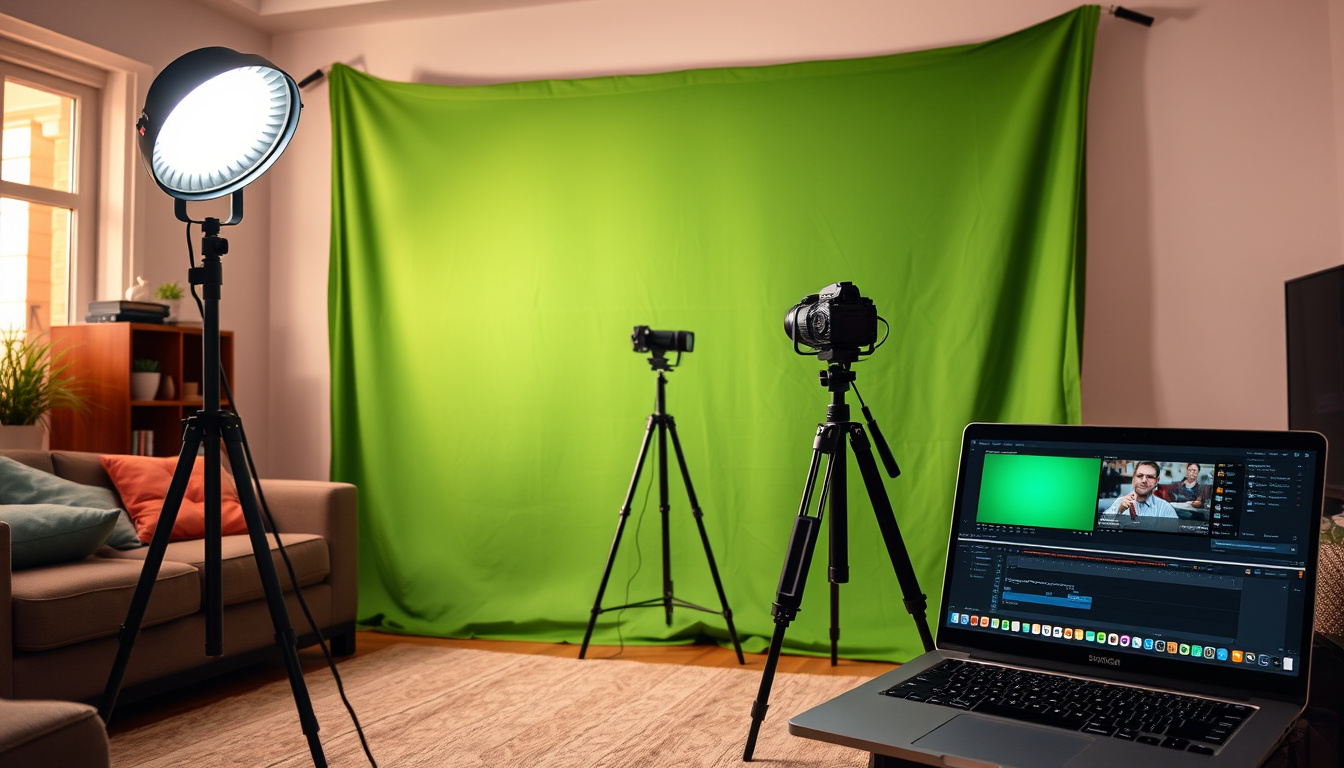
You’ve probably seen a weather presenter pointing at a map that isn’t there, or a streamer sitting in a living room that suddenly becomes a tropical beach. That illusion is a green screen at work — and it’s far more attainable than most people assume.
Chroma key compositing invented: 1930s ·
Green screen used in major films since: 1970s ·
Average cost of a basic green screen kit: $30–$100 ·
Free green screen apps available: Over 50 ·
Green screen background replacement accuracy: 95%+ with proper lighting
Quick snapshot
- Green screen uses chroma key compositing to replace background (Wikipedia (visual effects encyclopedia))
- Even lighting is critical for a clean key (Ikan (lighting equipment manufacturer))
- Whether LED or flash lighting works best for green screen depends on the setup (The School of Photography (photography education))
- The most reliable free app varies by device and user skill (NearStream (streaming equipment guide))
- Chroma key compositing first used in the 1930s for The Wizard of Oz (Wikipedia (visual effects history))
- Green screen became standard in films during the 1970s (PremiumBeat (post-production blog))
- AI-based background removal tools are emerging as an alternative to physical screens (LIV (mixed-reality platform))
Five quick facts about green screens, from technique origins to typical hardware costs:
| Technique name | Chroma key compositing |
| First used | 1930s (The Wizard of Oz) |
| Preferred color | Green (least skin tone overlap) |
| Common fabric | Muslin or polyester |
| Average kit price | $30–$100 |
What does a green screen do?
How chroma key works
- A green screen is a physical backdrop that allows software to isolate a specific color range and replace it with another image or video (Wikipedia (visual effects reference)).
- The technique, called chroma key compositing, works by making the green pixels transparent and layering a new background behind the subject.
Why green is used
- Green is preferred because it is the color least present in human skin tones, reducing the risk of the subject being accidentally keyed out (StudioBinder (film production resource)).
- Blue screens are also used, particularly when green would clash with costumes or props (CINELIGHT (lighting equipment specialist)).
The green screen itself doesn’t do any processing — it’s just a colored surface. The heavy lifting happens in software that recognizes that color and removes it. A clean, evenly lit backdrop gives that software the best chance of a perfect cutout.
Do you really need a green screen?
Alternatives to a green screen
- A solid-colored wall in a neutral tone can work for basic background replacement, though results are less reliable (Skillshare (creative education)).
- Some video-call software (e.g., Zoom, Microsoft Teams) offers virtual background blur or replacement without any physical screen, using AI (NearStream (streaming guide)).
When a green screen is essential
- For professional content creation — YouTube videos, live streams, or independent films — a dedicated green screen provides the consistency software needs for a clean key (Ikan (production gear specialist)).
- If you need to key out fine details like hair or moving objects, a proper green screen with controlled lighting is non-negotiable.
Skipping a dedicated screen saves money but costs time in post-production. A $40 kit can cut editing effort from hours to minutes — worth it if you publish regularly.
How to use a green screen correctly?
Setting up the green screen
- Smooth, wrinkle-free fabric is critical — any folds or creases create shadows that software can’t key out cleanly (COLBOR (lighting manufacturer)).
- Use a collapsible green screen or a sturdy frame to keep the fabric taut.
Lighting the green screen evenly
- The background needs its own dedicated lighting — place two softboxes on either side of the screen, angled to eliminate hot spots (CINELIGHT (LED lighting experts)).
- Soft light is recommended to spread illumination evenly across the entire backdrop (The School of Photography (photography tutorial)).
Positioning the subject
- The subject should stand at least 6 feet (1.8 m) from the screen to prevent green light from spilling onto their skin or clothes (StudioBinder (filmmaking guide)).
- Use a separate light for the subject — a key light on the face and a rim light behind to create separation from the background (Pro Cyc (studio lighting company)).
Many beginners light only the subject, leaving the screen underexposed. The result: a noisy, uneven key that requires hours of manual cleanup. Lighting the background separately is the single biggest upgrade you can make.
Can anything be used as a green screen?
DIY green screen materials
- Green or blue fabric, paint, or even poster board can work in a pinch (LIV (mixed-reality tutorial)).
- A green bedsheet pinned to the wall is the cheapest possible solution, though wrinkles and uneven color will reduce keying quality.
Best fabric types
- Muslin is a popular choice because it is lightweight, easy to store, and takes paint well.
- Polyester green screens are more durable and often pre-stretched on collapsible frames (COLBOR (lighting guide)).
The implication: frequent users benefit from polyester’s durability; occasional users may prefer muslin’s lower cost.
What app can make green screen?
Free green screen apps
- CapCut (mobile/desktop) offers a free chroma key tool with adjustable intensity (NearStream (streaming resource)).
- Kinemaster and Zoom also include built-in green screen features at no cost.
Paid green screen software
- Adobe Premiere Pro and Final Cut Pro provide advanced chroma key controls (spill suppression, edge refinement) for professional work (PremiumBeat (video production blog)).
- DaVinci Resolve offers a free version with a powerful 3D keyer that competes with paid tools.
Start with CapCut or Zoom’s virtual background. If you find yourself fighting with the key every time, upgrade to DaVinci Resolve (free) or Premiere Pro — the extra control is worth the learning curve.
Upsides
- Low cost — basic kits start at $30 (StudioBinder)
- Works with free apps like CapCut and Zoom
- Can be set up in any room with enough space
- Produces professional-looking results with proper lighting
Downsides
- Requires even lighting — uneven illumination ruins the key (Pro Cyc)
- Green spill can contaminate the subject if not properly distanced
- Needs at least 6–10 feet of depth, not ideal for small rooms
- Fabric wrinkles must be removed before each use
How to Set Up a Green Screen at Home
- Choose your surface. A collapsible green screen (muslin or polyester) is easiest. If using a bedsheet, stretch it tight and pin out all wrinkles (COLBOR (lighting guide)).
- Light the background. Position two softbox lights on either side of the screen, aimed at the backdrop. The goal is a flat, even brightness across the entire surface (CINELIGHT (chroma key lighting guide)).
- Light the subject. Use a separate key light on the subject’s face and a rim light behind them to create separation. The subject should be at least 6 feet from the screen (StudioBinder (filmmaking resource)).
- Check for shadows. Walk around the screen and look for shadows cast by the subject or equipment. Move lights until no shadow falls on the green surface.
- Key out the background. In your software (CapCut, OBS, Premiere Pro), select the chroma key tool, pick the green color, and adjust tolerance until the background disappears cleanly (Skillshare (lighting tips)).
Confirmed facts
- Green screen uses chroma key to replace background (Wikipedia)
- Even lighting is critical for clean keying (Ikan)
- Green is preferred over blue for human subjects (StudioBinder)
What’s unclear
- Exact cost of professional green screen setups varies widely by brand and size (LIV)
- Best app depends on user’s device and skill level (NearStream)
Lighting the green screen evenly from both sides is the single most important step. Uneven light creates hot spots that no software can fully correct.
— StudioBinder (film production guide)
Chroma key compositing is a visual-effects technique that combines images or video streams by using a keyed background color. When done properly, the result is seamless.
— Wikipedia (visual effects reference)
Getting a green screen setup right at home isn’t about spending a lot of money — it’s about paying attention to lighting and distance. For the home content creator, the decision is clear: spend $50 on a proper kit and a couple of softboxes, or resign yourself to green spill, noisy edges, and endless post-production tweaks.
Related reading: Inside Out Psychology: Emotions, Mental Health & Facts · Scarlet Witch: Hero or Villain? Powers, Origin & MCU Guide
For a more detailed walkthrough of equipment and lighting, check out this green screen home setup guide that covers everything from fabric choices to software recommendations.
Frequently asked questions
Can I use a blue screen instead of green?
Yes. Blue screens work the same way as green screens and are preferred when the subject wears green or when filming outdoors (blue reacts less to daylight). The lighting principles are identical (CINELIGHT).
What is the best green screen material?
Muslin is lightweight and affordable; polyester is more durable and holds its shape better. Both work well. Wrinkle-resistant materials save setup time (COLBOR).
How do I remove green spill from my subject?
Increase the distance between subject and screen (at least 6 feet), use a rim light on the subject, and apply spill suppression in your editing software. Adobe Premiere Pro and DaVinci Resolve have dedicated spill controls (Pro Cyc).
Do I need special lighting for a green screen?
You don’t need expensive lights — two softboxes with daylight-balanced bulbs work fine. The key is even coverage and the ability to light the screen separately from the subject (The School of Photography).
Can I use a green screen outdoors?
Possible but challenging. Natural light changes quickly and creates uneven shadows. If you must, use a large diffusion panel to soften sunlight and keep the subject far from the screen.
What is the difference between chroma key and green screen?
Chroma key is the technique of removing a color (chroma) to composite images. A green screen is the physical backdrop used for that technique. The terms are often used interchangeably (Wikipedia).
How do I key out a green screen in Adobe Premiere Pro?
Apply the “Ultra Key” effect to your clip, select the eyedropper tool, and click on the green background. Adjust the “Output” to “Alpha Channel” to see the transparency, then tweak “Pedestal” and “Tolerance” for a clean edge (PremiumBeat).
Related stories



Craig Newton is Senior Reporter at ScopePress.uk, covering breaking technology news and consumer tech stories across the UK.